Compare your mix to the pros. Hit your target.
Put a song you love next to your mix on one graph. Flip between them with one click, see exactly where your bass, mids and highs fall short, and check your loudness before you bounce.
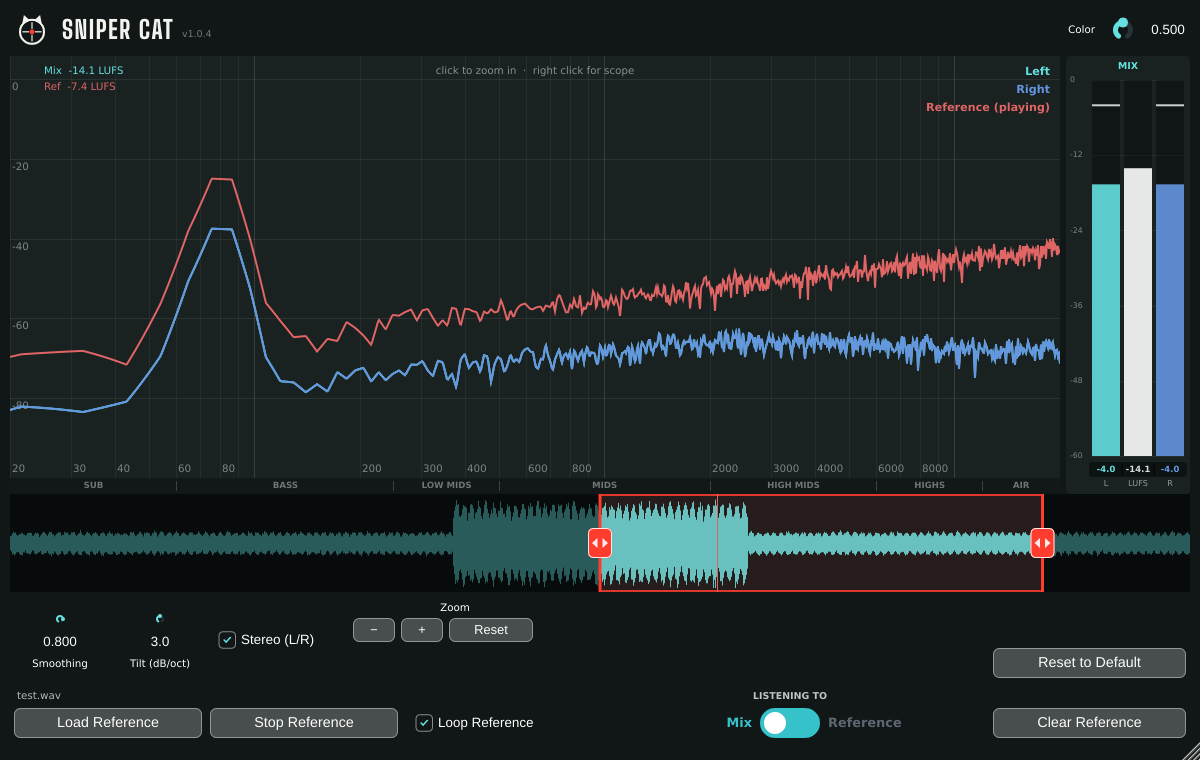
How it works
Load a reference
Put Sniper Cat last on your master and load a finished song in your style, WAV or MP3. Loop the chorus with the red handles.
Listen back and forth
Flip the Listening To switch between your mix and the reference. Both curves sit on the same graph so you can see the difference too.
Fix the difference
Where your line sits lower, you have less of that sound. Where it sits higher, you have more. Adjust, compare, repeat.
Built to snipe the problem
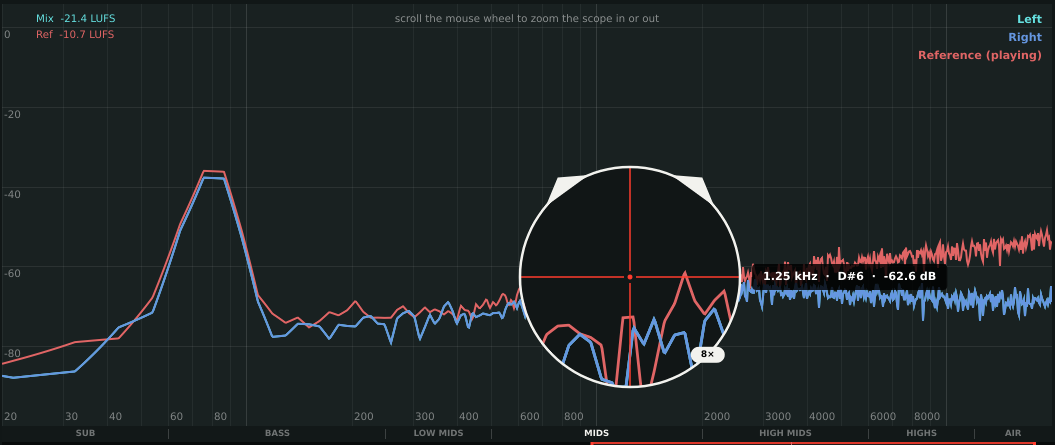
Zoom in on any frequency
Hover anywhere for the exact frequency, musical note and level. Hold right-click for the scope and scroll to magnify up to 32×. The zone strip names every range, from SUB to AIR.

One-click A/B
The Listening To switch flips between your mix and the reference instantly. Normal exports never include the reference.

Loop the chorus
Drag the red handles around the loudest part of the reference and it loops seamlessly while you work.
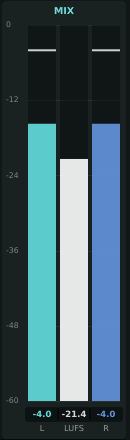
Loudness and peaks
LUFS loudness for both songs, plus left and right peak meters that turn red when you clip.
Get Sniper Cat
One payment, yours to keep. No subscription, no iLok, no account to create.
- Sniper Cat VST3 for Windows (64-bit)
- Free updates to version 1.x
- Illustrated user manual
- Email support
Requirements
- Windows 10 or 11 (64-bit)
- Any DAW that loads VST3 plugins
- Tested in Cubase, Ableton Live and FL Studio
Questions
Does it work on Mac or in Pro Tools?
Not right now. Sniper Cat is a Windows VST3 plugin, so it won't run on a Mac or in Pro Tools. Please don't buy it for those yet.
Will the reference song end up in my export?
No. During a normal export or bounce, Sniper Cat never plays the reference. If you use your DAW's real-time export, set the switch to Mix first.
Do I need an iLok or an account?
No. Download, install, and it's ready in your DAW.
What if it doesn't work for me?
Email us within 14 days of purchase and we'll refund you in full. See the refund policy for details.
Windows says "Windows protected your PC" when I install it.
That notice appears for software from newer publishers. Click More info, then Run anyway.