Make your 808 hit on every speaker.
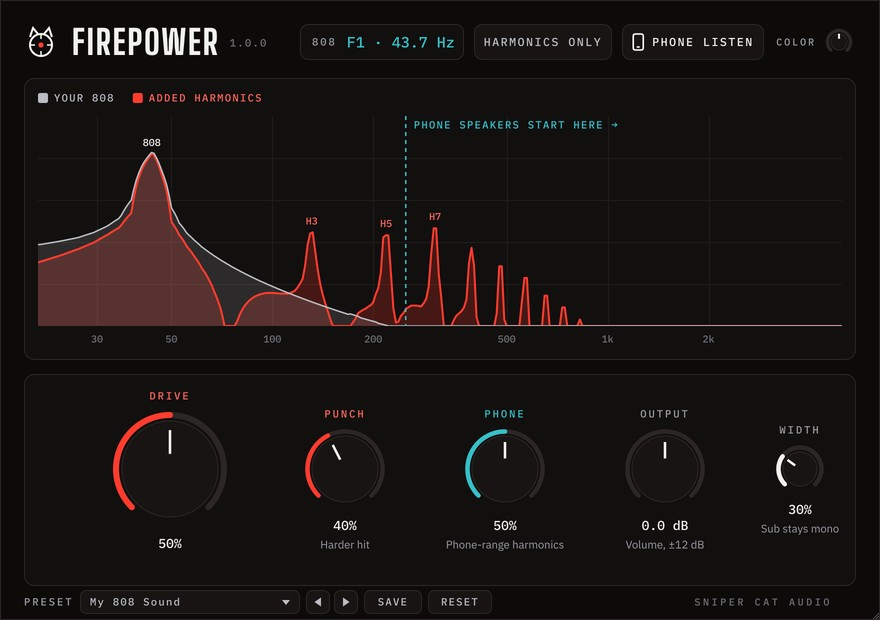
Firepower makes your 808s hit harder, sound bigger on good speakers, and actually show up on phone speakers, without losing the sub. The graph shows you exactly what it's adding.
How it works
Put it on your 808
Add Firepower as an insert on your 808 channel. Every knob starts at 0, and at 0 it’s a true bypass: your 808 comes out exactly as it went in.
Turn up Drive and Phone
Pick a preset like Phone Boost, or start with Drive 50% and Phone 50%. The volume stays about the same, so you hear the tone, not just louder.
Check it like a phone
Click Phone Listen to hear your track roughly the way a phone speaker plays it. If you can follow the 808 notes, you’re there.
Built for the 808
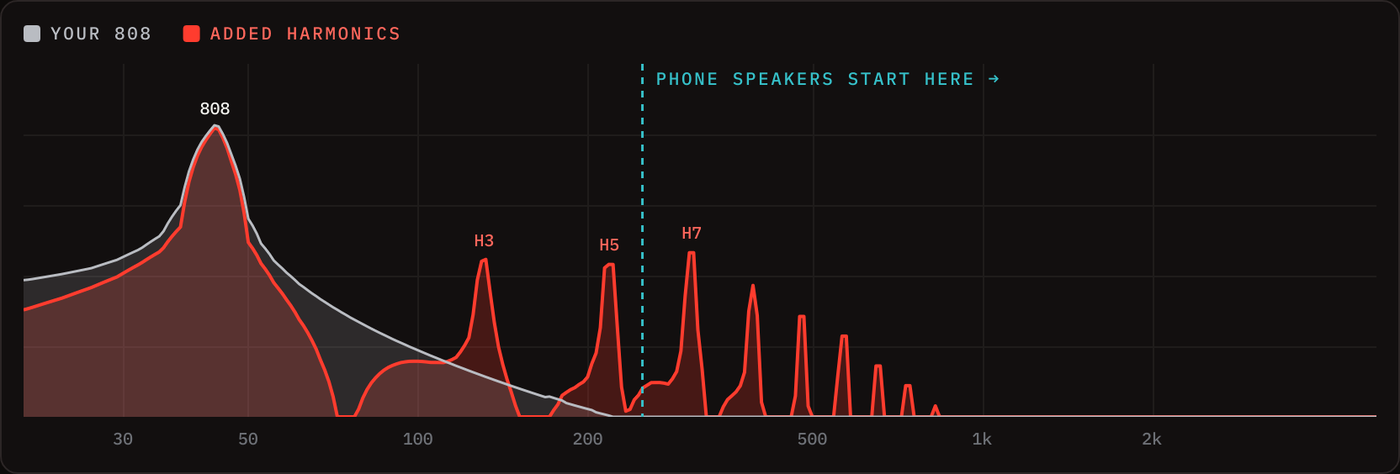
Watch the harmonics appear
Your 808 in grey, what Firepower adds in red, with each harmonic labeled. The dashed line shows where phone speakers start, so you can see your 808 reach the range phones can actually play. A live readout shows the note and pitch of your 808.
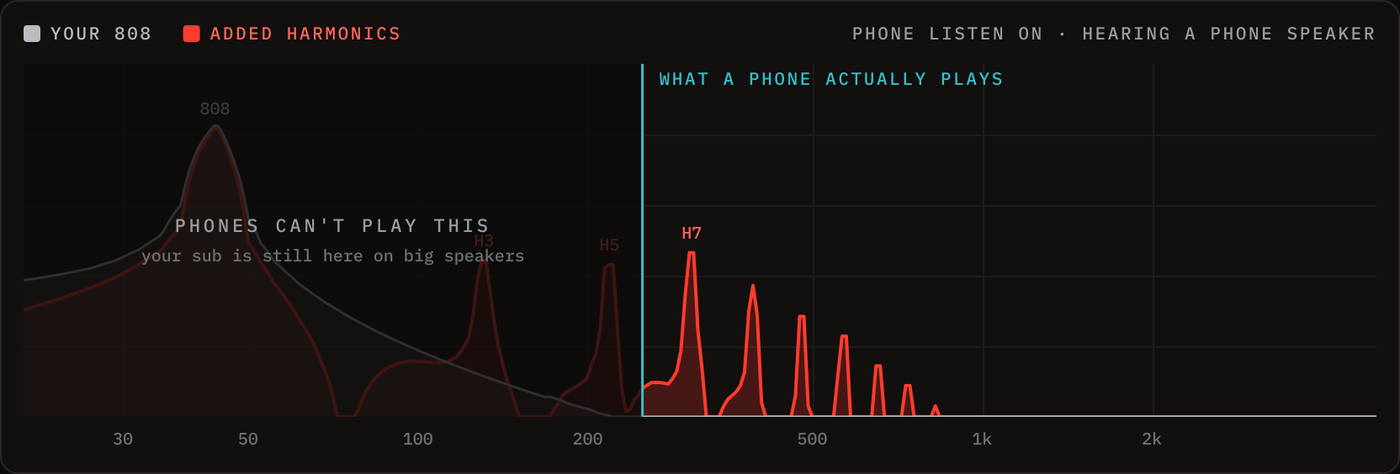
Hear it like a phone speaker
One click and you hear your track roughly the way a phone plays it. The graph dims everything a phone can’t play. It’s only for checking: never saved, and never in a normal export.
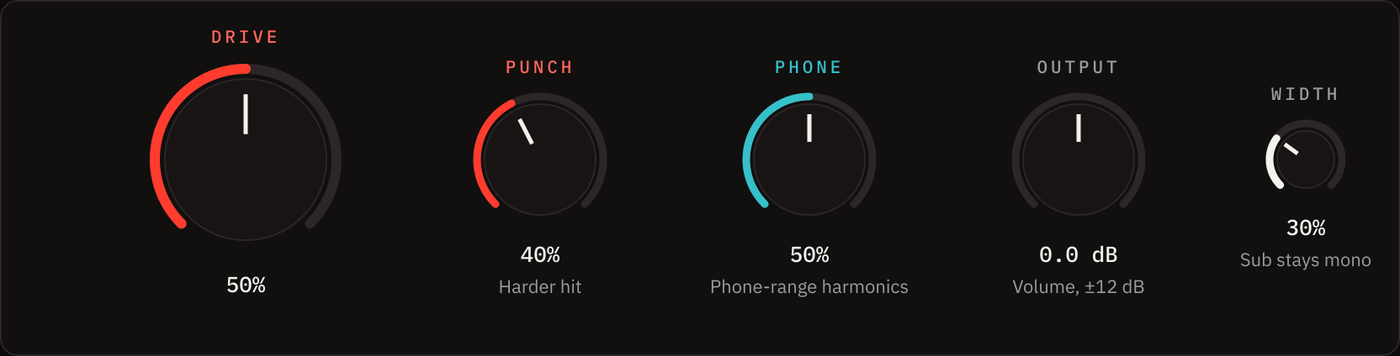
Five knobs. That’s it.
Drive for the dense, saturated trap 808. Punch for a harder hit on every note. Phone for harmonics phones can play. Width to spread the grit. Output for level.
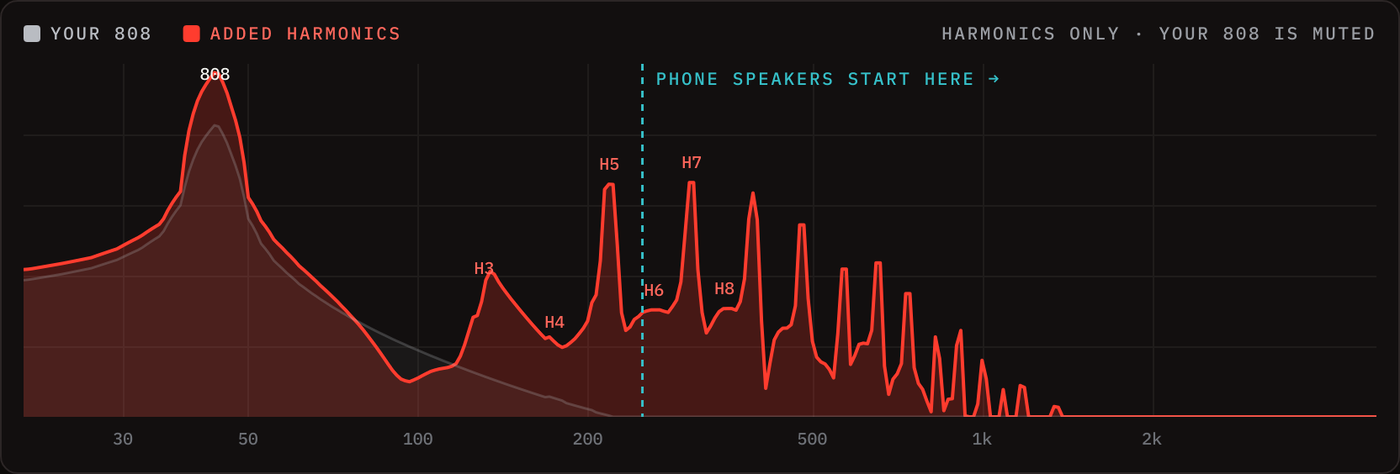
Harmonics Only
Play just what Firepower adds: a gritty, harmonic version of your 808. Print it as an effect, or put it on a copy of the 808 for a separate grit fader.
Your sub stays safe
However far you turn the knobs, Firepower keeps the clean sub and holds the harmonics in balance with it, so the 808 never gets buried. Width keeps everything below about 150 Hz in mono. Factory presets plus your own, saved in one click.
Get Firepower
One payment, yours to keep. No subscription, no iLok, no account to create.
- Firepower VST3 for Windows (64-bit)
- Factory presets, plus save your own
- Free updates to version 1.x
- Illustrated user manual
- Email support
Requirements
- Windows 10 or 11 (64-bit)
- Any DAW that loads VST3 plugins
- Cubase, FL Studio, Ableton Live, Studio One, REAPER and more
Questions
Does it work on Mac or in Pro Tools?
Not right now. Firepower is a Windows VST3 plugin, so it won't run on a Mac or in Pro Tools. Please don't buy it for those yet.
Will it change my sub?
No. Firepower keeps the clean sub underneath and only adds harmonics on top. With every knob at 0 it’s a true bypass, so you can always compare against the original.
Where should I put it?
On your 808 or bass channel, not the master. Put it after any EQ or effects on the 808.
Will Phone Listen end up in my export?
No. Phone Listen is only for checking and is never in a normal export. (If you use your DAW's real-time export, turn it off first.) Harmonics Only is different: it's an effect, so it does print in exports.
Do I need an iLok or an account?
No. Download, install, and it's ready in your DAW.
What if it doesn't work for me?
Email us within 14 days of purchase and we'll refund you in full. See the refund policy for details.
Windows says "Windows protected your PC" when I install it.
That notice appears for software from newer publishers. Click More info, then Run anyway.